
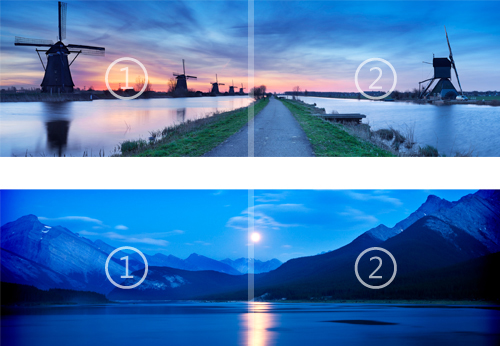
Yesterday, Microsoft has released the Consumer Preview of Windows 8 Operating System.You can download the Windows 8 Beta (Consumer Preview) here. Now Microsoft has released the First Windows 8 theme preview for Windows 8 Public Beta named “Nightfall and Starlight Panoramic”.
Download Windows 8 Theme ‘Nightfall and Starlight Panoramic‘:
Designed to extend seamlessly across dual monitors with identical resolution settings, this dramatic free theme for your Windows 8 Consumer Preview desktop also shifts your glass color to match each stunning, wide-angle image. Explore distant galaxies, verdant meadows, steep mountains, and serene seas without ever leaving your chair.
Download Link Windows 8 Theme.
Notes:
- This theme can only be used in Windows 8 Consumer Preview or Windows Developer Preview and Windows 8 RTM.
- Panoramic images will automatically extend across both displays of a dual-monitor setup if both monitors have the same resolution settings. If the displays are different sizes or have different resolution settings, a different image will appear in each monitor.
- Panoramic themes can be used on single monitor setups, but only the center part of the image will be visible.


